
Accessible Weather Center
The weather channel you can hear.
A free, keyboard-driven weather application that speaks every screen — including the radar. It runs in your browser, needs no account, and hands every word to the screen reader you already use.
Free, no account, no ads, no tracking. United States locations only — the app is built on the National Weather Service.
What Accessible Weather Center is
For twenty-three years, Weatherscan sat on a cable channel and just ran — local conditions, the forecast, the radar, cycling past over quiet music, all day, every day. You didn't ask it anything. You left it on, and the weather came to you. It went dark in December 2022.
Accessible Weather Center is that experience rebuilt, and rebuilt for people who can't see it. The scenes still cycle. The music still plays. The bug still sits in the corner. But every single thing on that screen is also spoken, in structured, prioritized narration that goes straight to your screen reader — so a blind user and a sighted user watching the same loop receive the same information, at the same moment, in the same detail.
That last part is the whole point. Accessibility here isn't a text alternative bolted onto a visual product. The visual display and the spoken display are siblings, rendered from the same state, and neither is a summary of the other.
What it lets you do
Seventeen scenes, ten hardware themes, four ways into the radar, and a live NOAA Weather Radio feed — all reachable from the keyboard.
-
Leave it running
The scene loop cycles through current conditions, the local forecast, radar, the extended and hourly outlooks, travel cities and the almanac on its own. Press Space to hold on a scene, Tab to move to the next one yourself.
-
Hear the radar
Press N for Map Navigation and the radar stops being a picture. Walk the storm cells near you, browse active alerts, or move a cursor across a grid in steps you choose — one mile at a time, or twenty-five.
-
Get warned
Active National Weather Service alerts are polled continuously. A new severe alert interrupts whatever is being spoken, sounds a tone, and raises a desktop notification even when the app is in the background. Press 3 any time to re-read what is active.
-
Listen to Weather Radio
Press 0 to bring in a live NOAA Weather Radio transmitter, streamed from the weatherUSA network, on its own volume bus. Pick a call sign, or let the app match the nearest active transmitter to your location.
-
Keep your locations
Press M for Favorites and switch between saved places. The forecast, the radar, the alert watch and the Weather Radio station all follow you when home changes.
-
Pick your era
Ten themes across seven generations of Weather Channel hardware, each with period-correct typography, palette, scene order, music and narrator — from the 1988 WeatherStar 3000 to IntelliStar 2 HD. See all ten.
Radar, as data instead of pixels
Radar is the part of weather that accessibility work usually gives up on. It is a color image with a color legend, and a screen reader has nothing to say about it. The common workaround — a one-line summary, “rain in your area” — answers a question nobody actually asked.
Accessible Weather Center takes a different approach: it offers several lenses onto the same spatial data, each matched to a real question.
- Storms
- “What's coming at me?” — individual cells with intensity, bearing, distance, and where they are heading.
- Alerts
- “What is the government saying right now?” — every active NWS alert for the area, in full.
- Places
- “What is it doing at the places I care about?” — your saved locations, read against the same radar frame.
- Grid Explorer
- “What is it doing over there?” — a cursor you drive across the map yourself, at a step size you set, reading intensity where you land.
There is one source of truth for what an intensity means, shared by the colors on screen and the words in your ear. They cannot drift apart.
How it compares
There are accessible ways to get weather today. Most of them are good at answering a question. This is built for a different shape of use.
| Approach | What it does well | Where it stops |
|---|---|---|
| Screen-reader weather add-ons (NVDA and JAWS scripts) |
Instant. One hotkey, a spoken line of current conditions and a short forecast, without leaving what you were doing. | Query-and-answer only. No radar, no continuous alert watch, no sense of a storm moving. |
| Smart speakers (Alexa, Google, Siri) |
Hands-free and effortless. Genuinely the fastest way to ask “will it rain today?” | You get a paraphrase, not the data. No radar, no alert detail, no way to explore further. |
| Accessible mobile weather apps | Well-labeled forecasts, push alerts, and hourly detail. Several are excellent with VoiceOver and TalkBack. | Radar is still an image. Interaction is tap-based, and the experience is something you open, not something you leave on. |
| NOAA Weather Radio receivers | Authoritative, always on, and works when the power and internet do not. Nothing replaces this in an emergency. | County-wide, on the transmitter's schedule. You wait for your area to come around, and you cannot ask it anything. |
| Mainstream radar apps (RadarScope, Windy, weather.com) |
The richest radar data available to the public, with storm attributes professionals rely on. | Essentially unusable with a screen reader. The interaction model is pixels, panning and pinch-zoom. |
| Accessible Weather Center | Runs continuously and narrates itself. Radar is navigable as data. Weather Radio, alerts and forecasts live in one keyboard-driven place. | United States only. Needs an internet connection. Not an official warning source, and not a professional radar analysis tool. |
Three things that are genuinely different here
- It uses your screen reader, not its own voice. The app deliberately ships no built-in text-to-speech. Announcements go out through ARIA live regions, which means your voice, your speech rate, your punctuation settings and your braille display all apply — exactly as they do everywhere else you work.
- Nothing is conveyed by color alone. That is a load-bearing rule in the codebase, not a stated aspiration. Every visually-conveyed state has a semantic counterpart rendered from the same data.
- It is ambient, not transactional. Most accessible weather tools are things you interrogate. This one you leave running, and it tells you when something changed.
And some honest limits
- Coverage is United States only, because it is built on the National Weather Service API.
- It is not an official warning source. Treat it as a companion to NOAA Weather Radio and your local emergency alerts, never a replacement.
- Desktop builds are unsigned, so Windows SmartScreen and macOS Gatekeeper will warn you. The Downloads page explains what to do.
- Some themes are more complete than others; the user manual is honest about which.
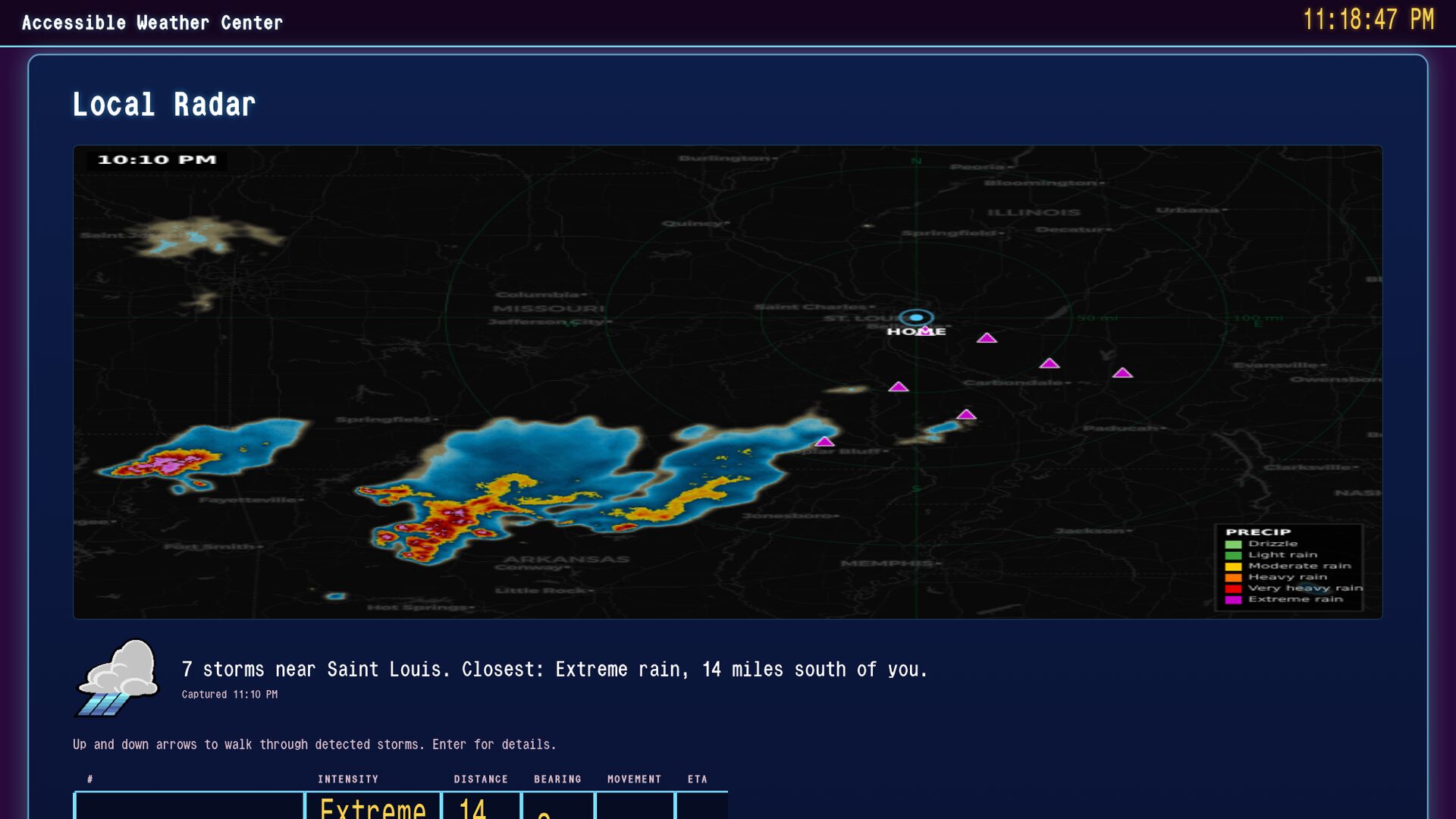
What it looks like
For sighted visitors and for anyone curious what the loop actually renders. Every one of these screens is fully described in speech as it plays.
-
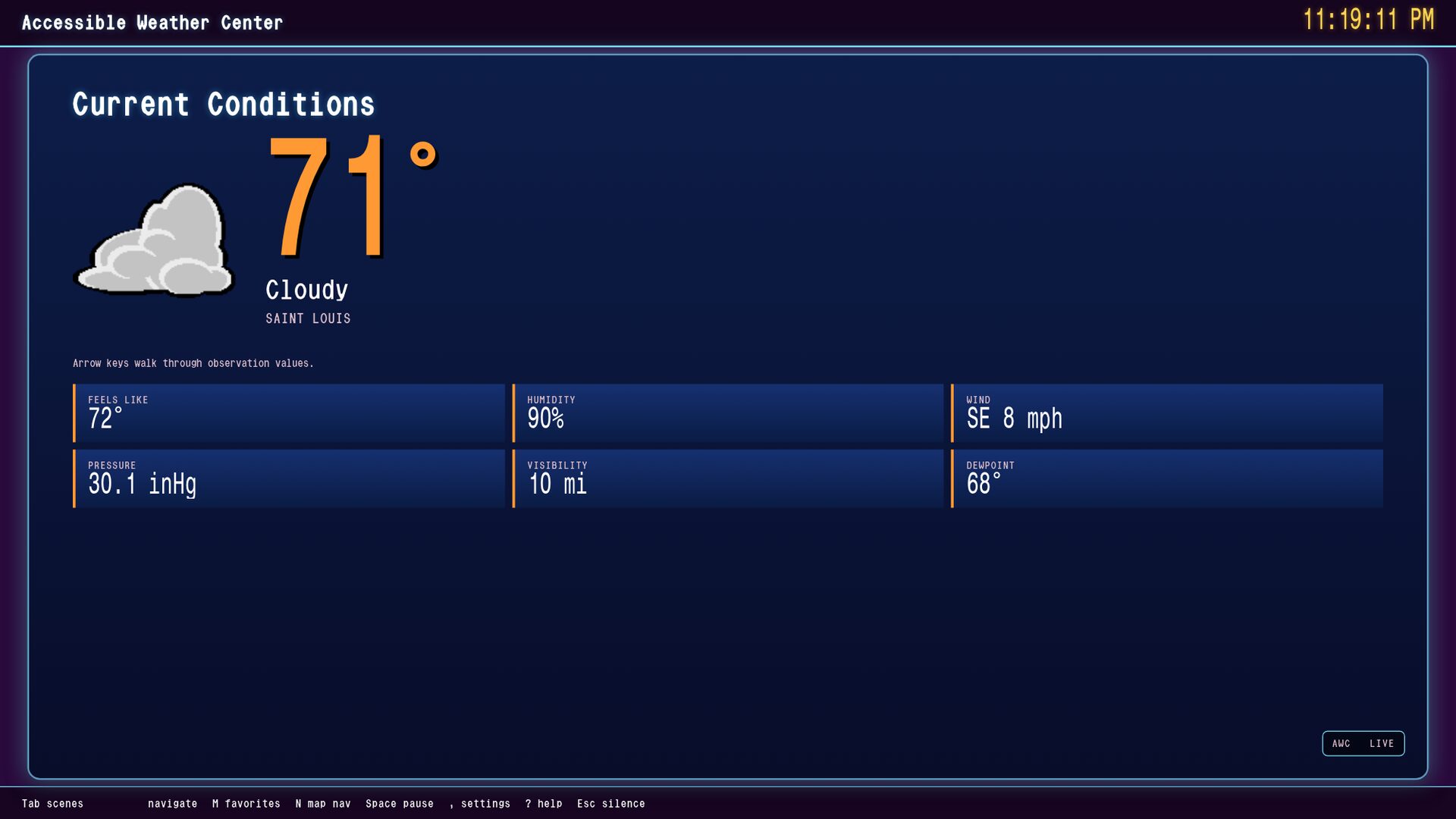 (opens full-size image in new tab)
Current Conditions — WeatherStar 4000, with the era's own typeface and 1998 icon set.
-
(opens full-size image in new tab)
Local Radar — the map, plus every storm as a row you can arrow through.
-
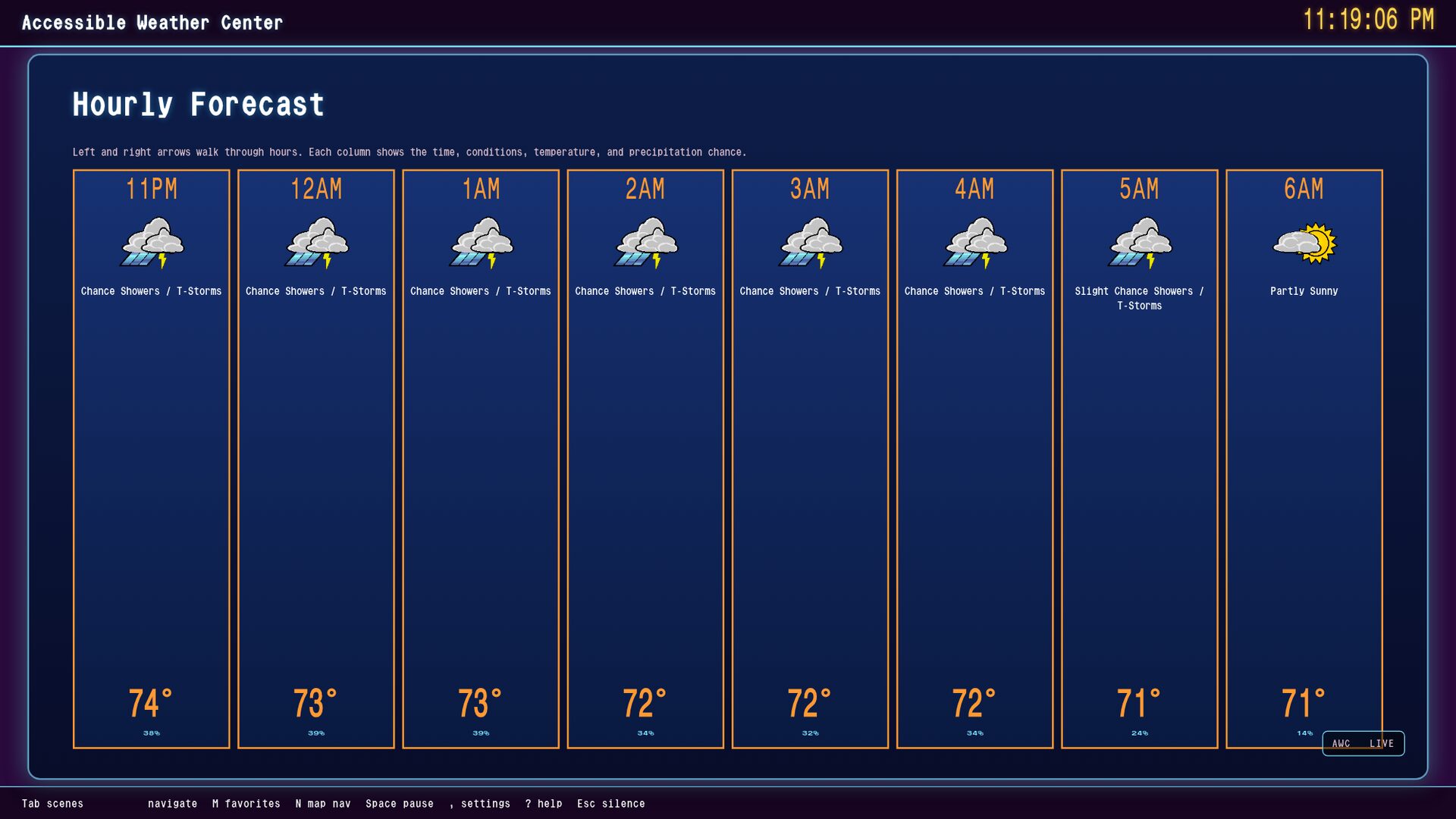 (opens full-size image in new tab)
Hourly Forecast — eight hours as a grid the arrow keys walk.
-
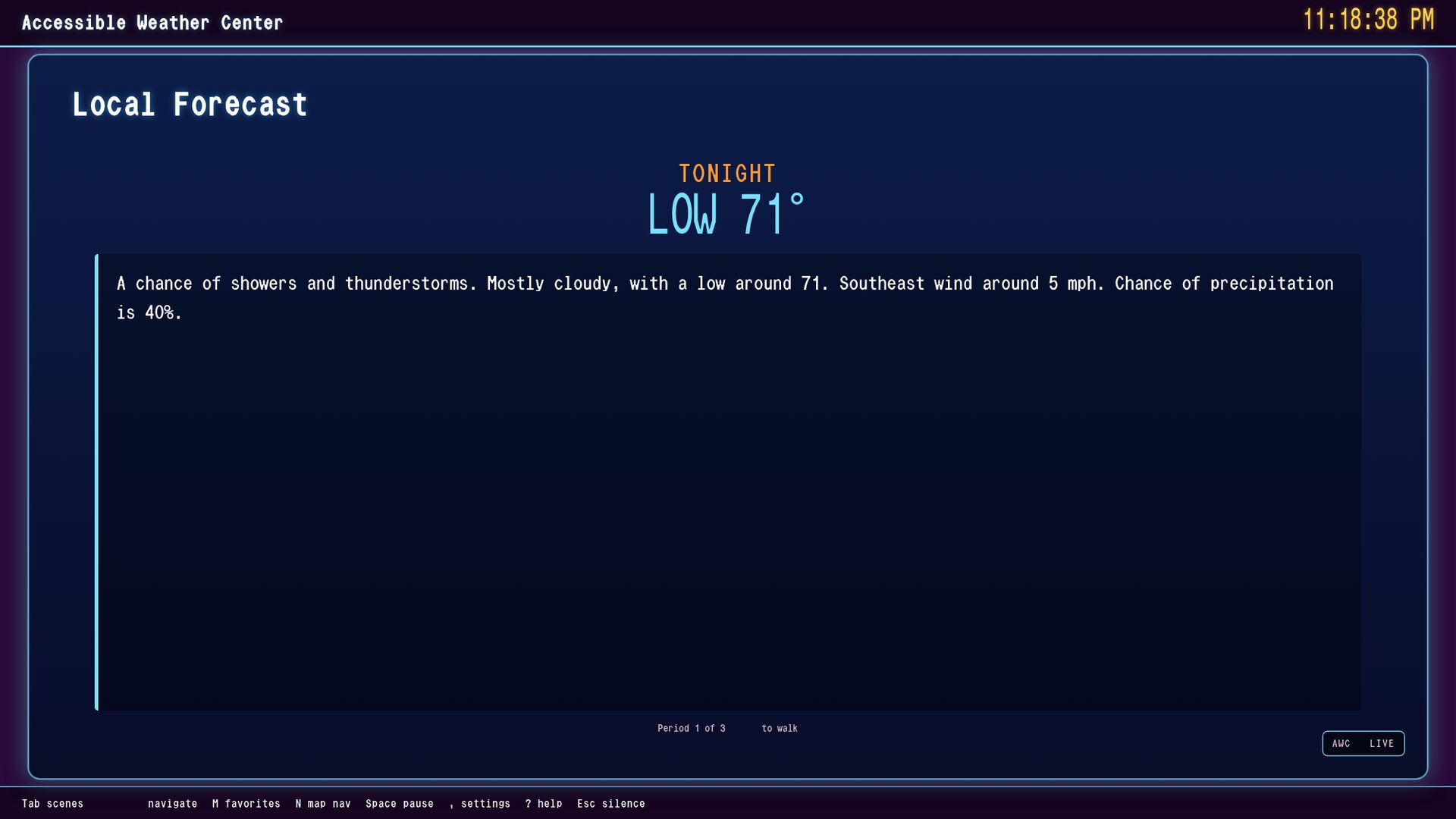 (opens full-size image in new tab)
Local Forecast — the NWS narrative, one period at a time.
Start using it
The browser version is the whole application — there is nothing reduced about it. It asks for a US ZIP code the first time you open it, and remembers it after that.
Launch Accessible Weather Center (opens in a new window) Download for desktop
Free and always will be. If it earns a place in your day, a donation keeps the work going.